8 Best Mushroom Identification Apps (November 2026)
— views
iNaturalist is the best free mushroom identification app, and Shroomify gives the plainest safety warning, with look-alikes and edibility notes on every species page and full offline use. Picture Mushroom, ShroomID, Fieldbook and Plantin sit between them with free downloads and paid upgrades. Google Lens names many mushrooms for free but gives no toxicity warning. MushroomIdentifiers, our own tool, labels every result with a risk level but needs an internet connection and gives only three free identifications.
This comparison uses what each app's official App Store, Google Play or developer page stated in November 2026. No app was tested in the field for this page, and no accuracy figure here is ours. Where a developer claims accuracy, the page says so. MushroomIdentifiers is this site's own tool. It is compared by the same facts as the others and placed where those facts put it.
Key Takeaways
- iNaturalist is free on iPhone, Android and the web, and other users can review your identification. Its listing gives no poison warning.
- Shroomify is a paid app that works fully offline and shows look-alikes and edibility for nearly 500 species, by its own listing.
- Picture Mushroom, ShroomID, Fieldbook, Plantin and MushroomIdentifiers are free to start and sell subscriptions. Only Fieldbook (5 a month) and MushroomIdentifiers (3 in total) state their free limits.
- Google Lens is free and identifies plants and animals, but its pages say nothing about mushrooms, toxicity or offline use.
- No listing on this list publishes an accuracy percentage. Every accuracy claim on this page is the developer's own.
- No app, including ours, should be the only check before anyone eats a wild mushroom. A photo cannot show a spore print, a smell or the base of the stem.
- If someone has eaten an unknown mushroom, call Poison Help at 1-800-222-1222. If a dog has, call your vet or the ASPCA Animal Poison Control Center.
Mushroom Identification App Comparison Chart
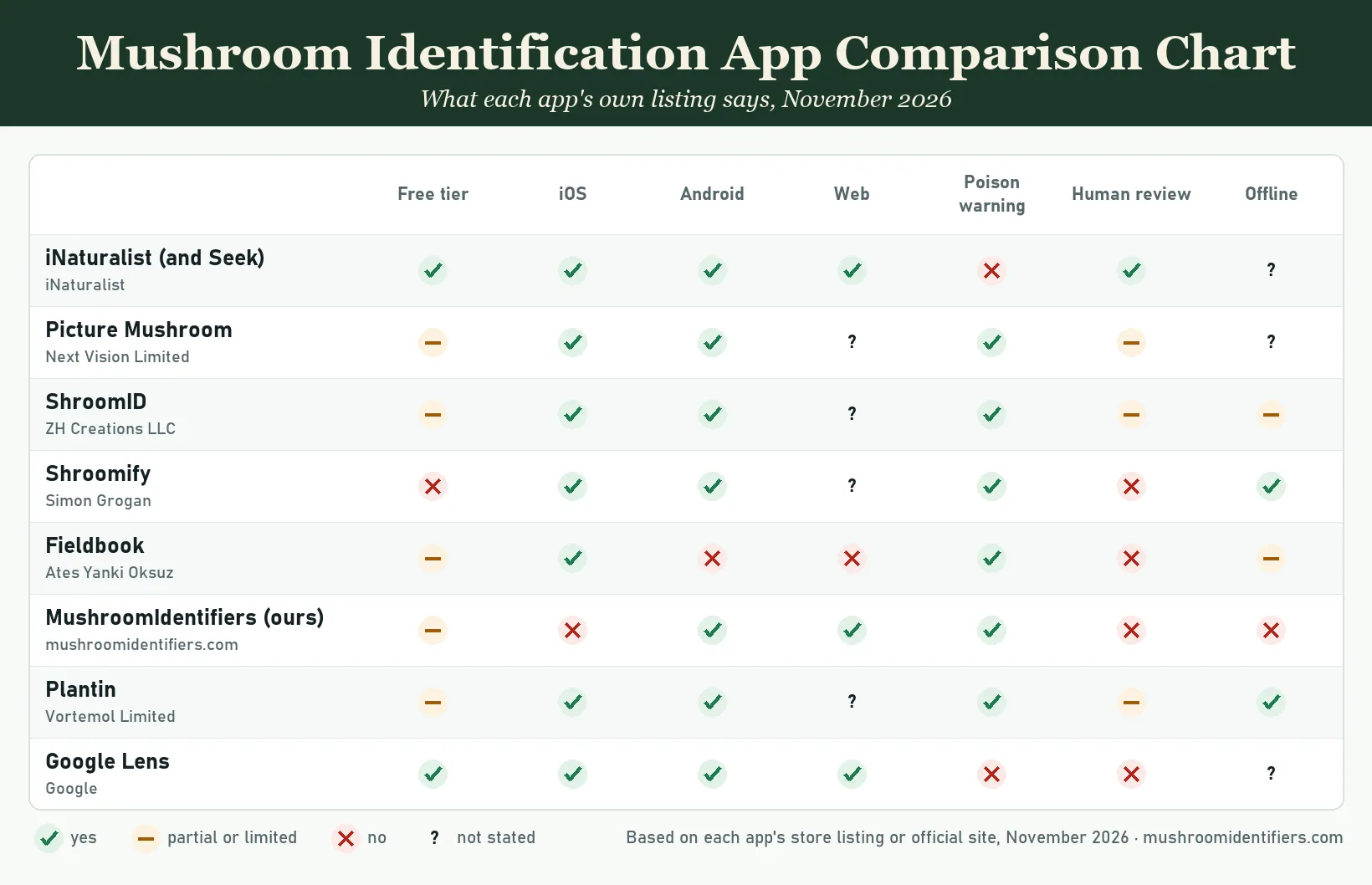
| App | Platforms | Free tier | Poison warning | Human review | Offline |
|---|---|---|---|---|---|
| iNaturalist (and Seek) | iOS, Android, web | Yes, fully free | No | Yes, community | Not stated |
| Picture Mushroom | iOS, Android; web not stated | Partial, limits not stated | Yes | Partial, paid expert consultation | Not stated |
| ShroomID | iOS, Android; web not stated | Partial, limits not stated | Yes, toxic status | Partial, community | Partial |
| Shroomify | iOS, Android; web not stated | No, paid app | Yes | No | Yes |
| Fieldbook | iOS only | Partial, 5 IDs a month | Yes | No | Partial, journal only |
| MushroomIdentifiers (ours) | Web, Android | Partial, 3 IDs | Yes, risk level | No | No |
| Plantin | iOS, Android; web not stated | Partial, limits not stated | Yes | Partial, botanists for plants | Yes, claimed |
| Google Lens | iOS, Android, web | Yes, fully free | No | No | Not stated |
Yes, No, Partial and Not stated follow each app's own listing or developer page, opened in November 2026. "Not stated" means the listing is silent, not that the feature is missing. A "Yes" under poison warning means the listing says results or species pages carry edibility or toxicity information, not that the warning is always right.
The Apps in Detail
1. iNaturalist and Seek by iNaturalist
iNaturalist is a free app from the nonprofit of the same name. Its App Store listing calls it "free, nonprofit, and community-powered". You point the camera at a plant, animal or fungus, the app gives instant suggestions, and the observation you share is then "reviewed by a global community of knowledgeable nature-lovers". The current app is for iPhone. The older iNaturalist Classic also runs on iPad and says identification works "while online". An Android app is on Google Play, and observations live on the iNaturalist.org website.
Seek by iNaturalist is the same organization's simpler app for families. Its App Store listing says it identifies "wildlife, plants, and fungi" with a live camera, collects no user data by default and needs no account. It is rated 4+ and labeled kid-safe. Seek is also on Google Play. Neither listing says whether identification works offline, and neither mentions edibility or poison.
Both apps are free with no in-app purchases listed. Community review is the strength: a person who knows fungi can correct a wrong suggestion, which no other app here offers at no cost. Nothing in either listing warns you that a suggested species is toxic.
Best for: foragers who want a second human opinion at no cost, and families exploring with children.
Watch out for: no poison warning on results, and no stated offline identification.
2. Picture Mushroom
Picture Mushroom is a photo identifier from Next Vision Limited. Its App Store listing covers iPhone and iPad, and its Google Play listing covers Android. Both are free downloads with in-app purchases. The App Store page lists a yearly Picture Mushroom Premium subscription with a 7-day free trial and a separate No Ads purchase. Neither page states how many free identifications you get.
The listing says the app "will also warn you of some toxic mushrooms", shows several similar species for comparison and keeps an encyclopedia with habitat and toxicity for each entry. It calls itself a "quick and accurate mushroom identifier". That is the developer's claim, with no figure attached. The App Store Premium text mentions "free consulting with experts", and its version notes describe an Expert Consultation feature. The Google Play page does not mention expert help.
Offline use and region coverage are not stated on either listing, though the app offers seasonal suggestions based on your location.
Best for: casual users who want a toxicity note next to a photo match, on iPhone or Android.
Watch out for: the free limits are unstated, and expert help sits behind the paid tier.
3. ShroomID
ShroomID comes from ZH Creations LLC. The App Store listing is a free download with ShroomID Pro and ShroomID Premium subscriptions, monthly or yearly. It runs on iPhone and iPad, and a Google Play listing exists for Android. Photo recognition is said to "suggest a match", and you can filter by color, shape and habitat.
Species details include the scientific name and "edible or toxic status", so a toxic species is labeled when the match is right. A community identification feature lets you upload photos for help from other members. No expert review is mentioned. Version notes mention an "improved offline mode" and a characteristics list covering "over 1000 species", but the description does not say what works offline. Regions are not stated.
In November 2026 the newest iOS release in the listing's version history was dated November 2023. Check for a newer release before relying on the app.
Best for: people who want filters by color and shape as well as a photo match, plus help from other users.
Watch out for: free limits are unstated, and the toxic label depends on the match being correct.
4. Shroomify
Shroomify is a paid app by Simon Grogan, described in the listing as made by a forager in the UK. The App Store listing says the one-time download includes every feature with no subscription. It runs on iPhone and iPad, and a Google Play listing exists for Android. The listing states that it "works fully offline once installed". Photo ID, the field guide and the logbook all work without a signal. Only weather outlooks need a connection.
Identification works three ways: a photo that returns likely matches, a tap-through picker for cap shape, cap color, gills or pores, size and growth habit, and a search by name. Results are ranked by regional records for the current month, and the release notes name data for the USA, Canada and Europe, including the Eastern US, Western US and Pacific Northwest. The guide covers nearly 500 species with over 1,100 photos, and each account lists look-alikes, habitat and edibility. The listing warns readers never to eat a wild mushroom unless they are completely certain what it is, and it calls photo suggestions neither a confirmed ID nor an edibility judgment.
No human or expert review is offered, and nearly 500 species leaves gaps for unusual finds.
Best for: foragers with no signal in the woods who want look-alikes shown beside every species.
Watch out for: it costs money up front, and 500 species leaves gaps.
5. Fieldbook
Fieldbook is an iPhone-only nature journal with AI identification, by the developer Ateş Yankı Öksüz. The App Store listing is marked "Only for iPhone" and needs iOS 16.4 or later. It is free with Monthly Premium and Yearly Premium subscriptions. The developer's mushroom page states that the free tier allows 5 AI identifications a month, that "there is no Android version and no web version", and that the app covers common species in North America and Europe, with rare and regional species less reliable.
The listing says results include edibility and "safety warnings", and the developer page says the app "shows known toxic lookalikes alongside a suggestion". Both tell users to confirm edibility with a regional guide or an expert and call the output an "AI-assisted starting point". You can log a find offline with photos, notes and GPS; the identification runs later, once you are "back in range". No human review is mentioned.
Best for: iPhone users who want a journal and map with each find, and a stated free allowance.
Watch out for: no Android, no web, and no identification without a signal.
6. MushroomIdentifiers (our own tool)
MushroomIdentifiers is this site's own identifier. It runs in any web browser and as the Android app Mushroom Identifier - AI Scan on Google Play. There is no iOS app. A new account gets 30 free credits, and one identification costs 10 credits, so you get three free identifications. The pricing page lists Starter, Explorer and Pro monthly plans with 120, 550 and 1,200 credits and a 7-day free trial.
Every result carries a risk level of HIGH, MEDIUM or LOW and a toxicity flag of deadly, toxic or safe. The model is instructed to mark any Amanita feature, such as a volva, warts on the cap or free white gills, as HIGH risk. You can upload several photos of the same mushroom together, and each result links to the matching species guide on this site. The pricing page lists toxicity and look-alike warnings on every plan. A "safe" flag is a model output, not permission to eat; the section below explains why.
The limits are plain. It needs an internet connection and has no offline mode. It is AI only, with no human review. The free tier is small, and the risk label is only as good as the match behind it. Its place on this list reflects those limits.
Best for: a quick risk label on a lawn or yard mushroom without installing anything.
Watch out for: three free identifications, no iPhone app, no offline use and no human check.
7. Plantin
PlantIn is a plant care app by Vortemol Limited that added a mushroom identifier. The App Store listing covers iPhone and iPad, and the Google Play listing covers Android. It is free to download with weekly, yearly and lifetime premium plans, and the weekly plan carries a free trial. Free limits for the mushroom feature are not stated.
The listing describes the mushroom feature as new, working online "in several taps", and says the developer "implemented a technology for offline id". It says the feature helps identify edible mushrooms and detect poisonous specimens, with no accuracy figure and no safety disclaimer. The Ask the Botanist service offers consultation with gardening experts; developer replies in the reviews say it is separate from the subscription, and the listing does not say botanists review mushroom identifications. Regions are not stated.
Best for: someone who already uses PlantIn for houseplants and meets the occasional mushroom.
Watch out for: a plant app first, with a newer mushroom feature whose limits are unstated.
8. Google Lens
Google Lens is Google's visual search. The Lens page says you can "use your camera, an image, or a screenshot to search", with houseplants and dogs as examples. Lens is built into the Google app on Android and iPhone, the camera app of select Android phones, Chrome and Google Photos, and it runs on desktop. The Google app is a free download, and its listing says Lens can "identify plants and animals". Mushrooms are not mentioned on either page.
Lens returns web results that look like your photo. It gives no toxicity warning, no edibility note, no human review and no statement about offline use. For a mushroom, that means a list of similar images and pages that you have to judge yourself.
Best for: a free first guess when the Google app is already on your phone.
Watch out for: no poison warning at all, and the result is a web search, not an identification.
Can an App Tell You a Mushroom Is Safe to Eat?
No. No app on this list, including our own, can confirm that a wild mushroom is safe to eat, and no listing claims that it can. A photo shows the top of a cap and sometimes the gills. It does not show the color of a spore print, the smell, bruising, or whether a cup-like volva sits under the soil at the base of the stem. Those features separate many edible species from deadly ones.
The University of Connecticut's wild mushroom fact sheet states that "there is no simple test to rule out dangerous mushrooms" and urges people not to eat a wild mushroom unless they can identify it "with one hundred percent certainty". It tells readers to "strictly avoid any mushroom that looks like an Amanita, all little brown mushrooms, and all false morels". Iowa State University Extension adds that edible and deadly species can look alike and grow together, and tells readers to work through a field guide's key rather than compare photos.
The North American Mycological Association lists the amatoxin group, including Amanita phalloides, Amanita bisporigera, Galerina marginata and several Lepiota species, and notes that its own photos "should not be used for identification". It records that Galerina marginata "may be mistaken for hallucinogenic species". Our guide to death cap identification shows why the volva matters and how to dig for it.
A 2023 study in Clinical Toxicology by Hodgson and colleagues set out "to compare the accuracy of three popular mushroom identification software applications", according to the Austin Health record. Whatever an app scores, it gives a suggestion, not a verdict. Read our pages on whether AI can identify poisonous mushrooms safely and poisonous vs edible mushrooms before trusting any label, ours included.
How to Get a Better Identification From Any App
Every app on this list does better with several sharp photos of the whole mushroom, its gills or pores and the base of its stem, plus a note on what it grew on. Iowa State Extension recommends a side profile, a close-up of the cap top and a view of the underside, with a coin or small ruler for scale, and digging around the base with a spoon or trowel so it stays intact. One blurry photo of a cap from above is the worst input you can give an app.
- Cap from above and from the side, in daylight, in focus.
- Gills, pores or teeth under the cap, with the point where they meet the stem visible.
- The whole stem, including the dug-out base, to show a ring, a sack-like volva or a bulb.
- Several angles, and both young and old mushrooms if a group is growing.
- What it grows on: lawn, wood chips, a living tree, a dead log, and which tree if you know it.
- Any smell, and whether the flesh changes color when cut or bruised.
Our guide on how to photograph mushrooms for identification shows each shot. For anything you might keep, take a spore print: cut the stem, set the cap gills-down on half white and half black paper, cover it with a glass and wait overnight. No app can see spore color from a photo. Our page on how to identify a mushroom you found lists the rest of what to record.
Which Mushroom Identification App Should You Choose?
Pick by what you need from the result: a name, a second opinion, a risk label or an answer with no signal. Each pick below follows the listing facts above, not a score.
You are curious about a mushroom you saw
Seek by iNaturalist is free, needs no account and is built for families. Google Lens is free and already on most phones. Neither gives a poison warning, so treat the name as a starting point and do not touch or taste anything on the strength of it.
You forage and want confirmation
iNaturalist is the only free app here where other people review your identification. Shroomify and Fieldbook show look-alikes next to a suggestion. Picture Mushroom's expert consultation is a paid feature named on its App Store page. A regional field guide from our mushroom identification book guide and a local mycological club still beat all of them for a mushroom you plan to eat.
You are a parent or dog owner worried about a lawn mushroom
You want a risk label fast. MushroomIdentifiers runs in a browser with no install and puts a HIGH, MEDIUM or LOW risk level on the result; it is our tool, so weigh that. Picture Mushroom and Fieldbook also state toxicity notes on their listings. If a child or pet has already eaten part of the mushroom, skip the app and call Poison Help or your vet first. Our dog ate a mushroom guide explains what to save for the vet.
You have no internet in the field
Shroomify is the only app here whose listing states that it "works fully offline once installed". PlantIn claims an offline identification technology. Fieldbook saves notes offline and identifies later. ShroomID's notes mention an offline mode without detail. The rest do not state offline use, and MushroomIdentifiers does not work offline.
Frequently Asked Questions
Is there a free mushroom identification app?
Yes. iNaturalist and Seek by iNaturalist are fully free with no in-app purchases listed, and Google Lens is free inside the Google app. Picture Mushroom, ShroomID, Fieldbook, Plantin and MushroomIdentifiers are free to download but limit free identifications and sell subscriptions.
What is the best free mushroom identification app?
By the listing facts, iNaturalist. It is free on iPhone, Android and the web, and other users can review your identification. Its weakness is that it gives no poison warning, so you must read the species page yourself.
How accurate are mushroom identification apps?
No app on this list publishes an accuracy percentage on its store listing. Developers describe their apps as fast or accurate, and those are their own claims. A 2023 study in Clinical Toxicology compared three popular apps on photographs, and poison centers treat app results as a suggestion, not a confirmation.
Can Google Lens identify mushrooms?
Google Lens can return web results and images that resemble a mushroom photo, and the Google app listing says Lens identifies plants and animals. It does not mention mushrooms, and it gives no toxicity warning. Treat a Lens result as a search, not an identification.
Which app warns about poisonous mushrooms?
Picture Mushroom says it warns of some toxic mushrooms. ShroomID shows an edible or toxic status. Shroomify, Fieldbook and Plantin state edibility or toxicity information on their listings. MushroomIdentifiers puts a HIGH, MEDIUM or LOW risk level on every result. iNaturalist, Seek and Google Lens give no poison warning.
Does any mushroom identification app work offline?
Shroomify states that it works fully offline once installed, including photo identification. Plantin claims an offline identification technology. Fieldbook lets you record a find offline and identifies it later. The other apps either need a connection or do not state offline use.
Can an app tell me if a mushroom is safe to eat?
No. A photo cannot show spore color, smell, bruising or the base of the stem, and deadly species have edible look-alikes. Use an app to narrow the options, then confirm with a field guide key, a spore print and a person who knows local fungi before anyone eats a wild mushroom.
Which mushroom identification app works on iPhone?
iNaturalist, Seek, Picture Mushroom, ShroomID, Shroomify, Fieldbook, Plantin and Google Lens all have iPhone apps. MushroomIdentifiers has no iOS app, but its website works in Safari on an iPhone.
Is MushroomIdentifiers free?
Partly. A new account gets 30 credits, and one identification costs 10 credits, so three identifications are free. Monthly plans add 120, 550 or 1,200 credits with a 7-day trial. It is this site's own tool and uses AI with no human review.
What should I do if my dog ate a mushroom?
Do not wait for symptoms and do not rely on an app. Call your veterinarian or the ASPCA Animal Poison Control Center at (888) 426-4435, which answers 24 hours a day and may charge a consultation fee. Save a sample of the mushroom in a paper bag, with a photo of where it grew, for the vet.
Final Safety Reminder
Every app on this list, including ours, gives a suggestion from a photo. None of them can see a spore print, smell the flesh or dig up the base of the stem, and none of their listings claims to make a wild mushroom safe to eat. Use our free mushroom identifier or any app here to narrow the options, then confirm with a field guide key and a person who knows the fungi where you live. If someone has eaten an unknown mushroom, call Poison Help at 1-800-222-1222 right away, keep a piece of the mushroom, and do not wait for symptoms.
Sign in to leave a comment and join the discussion.
 Guide
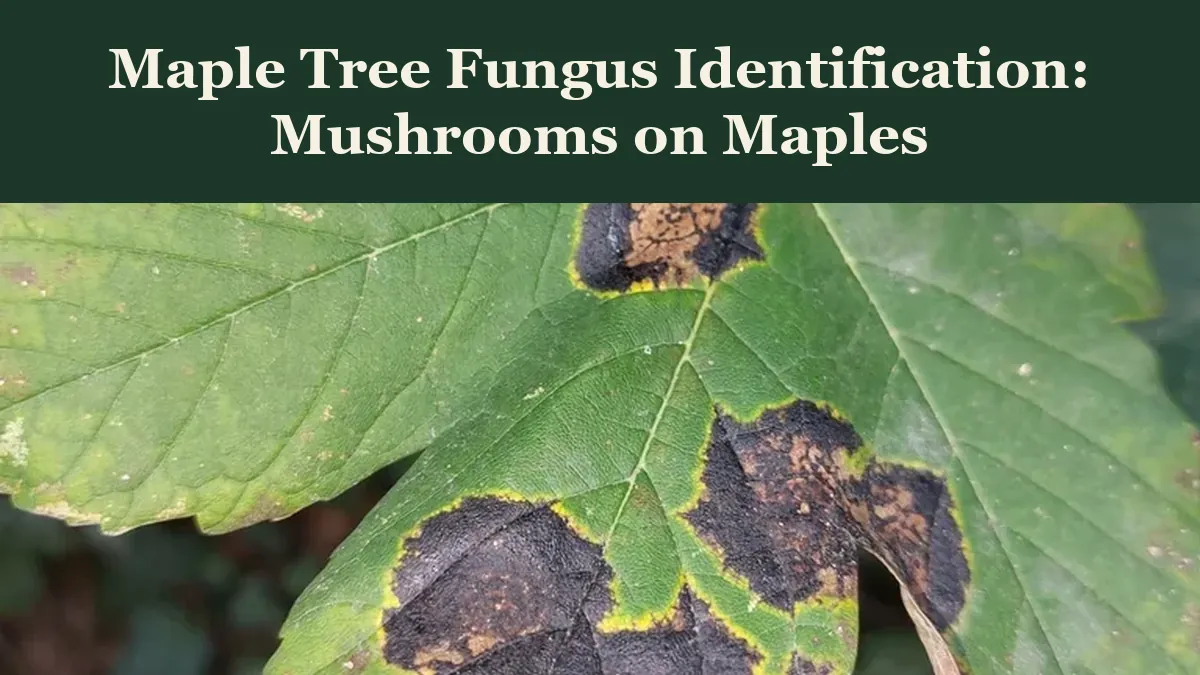
Most maple tree fungus is either a leaf spot that looks alarming but rarely hurts the tree, or a decay fungus fruiting from wood that is already rotting...
 Guide
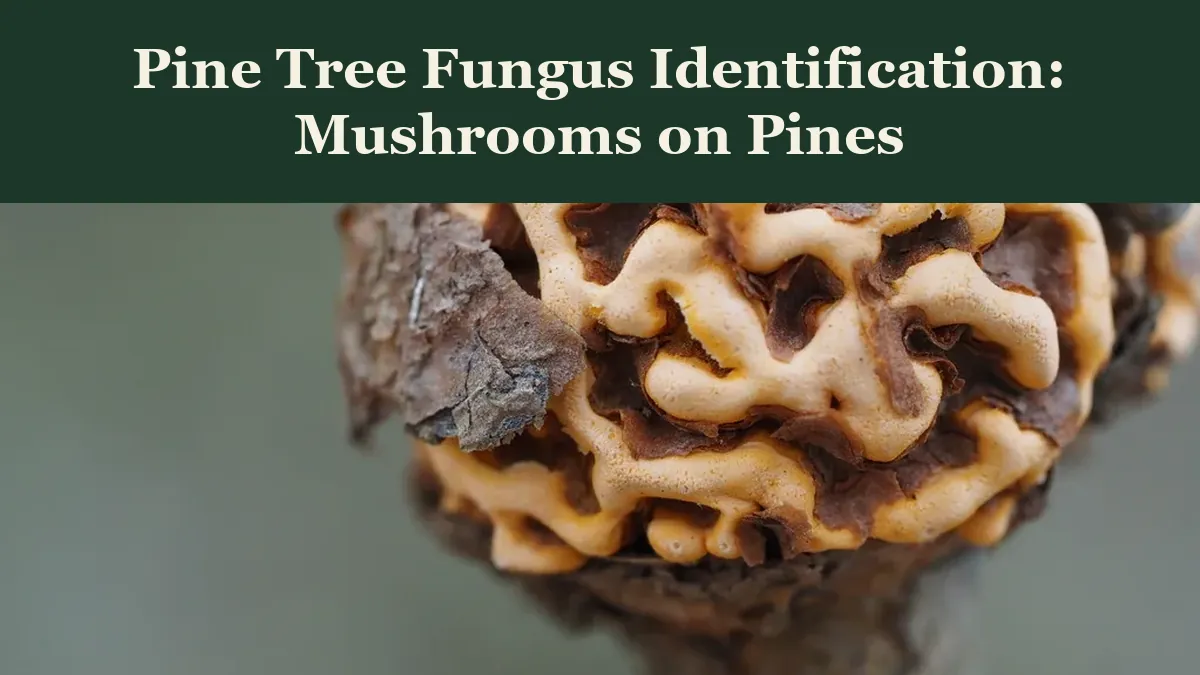
Pine tree fungus identification starts with color and place: orange powder on a woody gall is a rust, brown dead shoot tips are a blight, a conk at the base...
 Guide
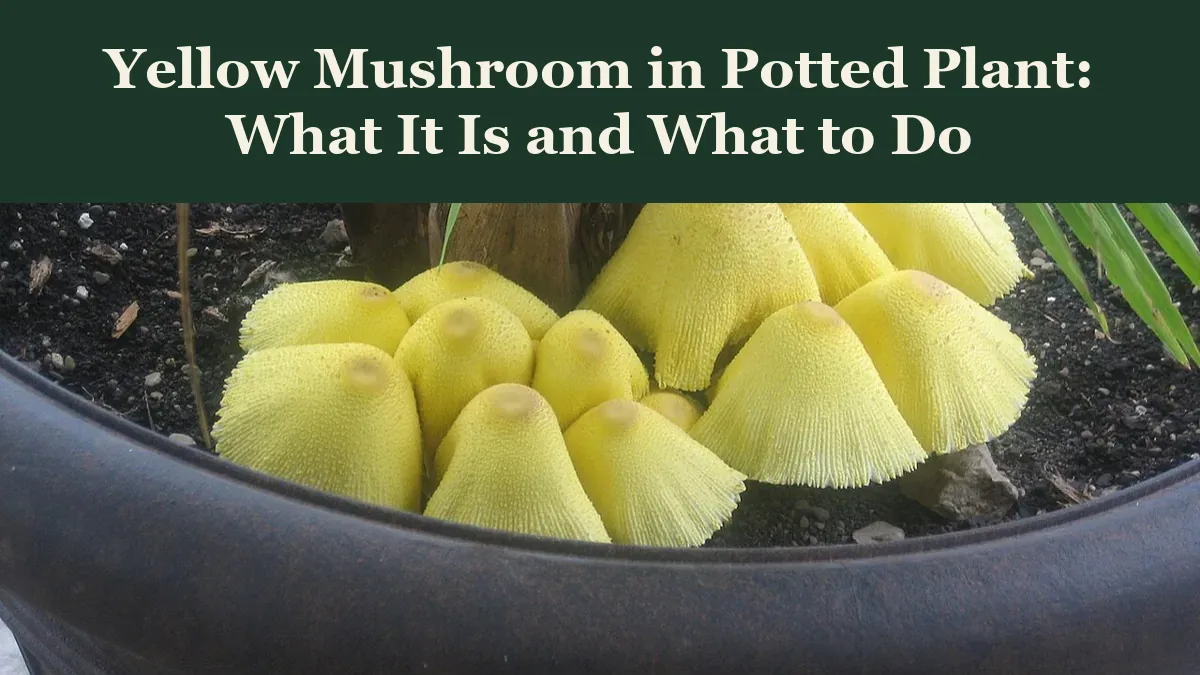
A yellow mushroom in a potted plant is almost always the flowerpot parasol, Leucocoprinus birnbaumii , a lemon-yellow mushroom that feeds on dead organic...